
Grow with professional business email
Build trust from the first email with a professional address matched to your domain, designed to strengthen your brand and leave a lasting impression. Get yours today with powerful AI tools designed to fit your budget.
Professional email address plans for every stage of your growth
Look like a pro on any budget with a professional email address that matches your domain. Set yourself up for success now with a business email plan built for you.
Accounts
Free Trial
Projects
SSL
Storage
Domains
Sub-domains
Sub-domains
Sub-domains
Sub-domains
Sub-domains
Sub-domains
Sub-domains
Sub-domains
Sub-domains
Sub-domains
Sub-domains
Sub-domains
Sub-domains
Sub-domains
Professional Email
$3.00/month
10 GB Email Storage
10 Read Receipts
Calendar & Contacts
Advanced Anti-Spam & Anti-Virus
Data Encryption
Business Auto-Reply
One-Click Import of Existing Emails & Contacts
Professional Email Plus
$5.00/month
50 GB Email Storage
Unlimited Read Receipts
Unlimited Email Templates
Unlimited Contact Groups
Calendar & Contacts
Advanced Anti-Spam & Anti-Virus
Data Encryption
Business Auto-Reply
One-Click Import of Existing Emails & Contacts
Send Later
Follow-Up Reminders
Turbo Search
Auto-Clean
Undo Send
Send as Alias
Grammer & Spell Check
HTML in Composer
Two-Factor Authentication
Priority Inbox
Email Labels
Introducing Professional Email Ultra
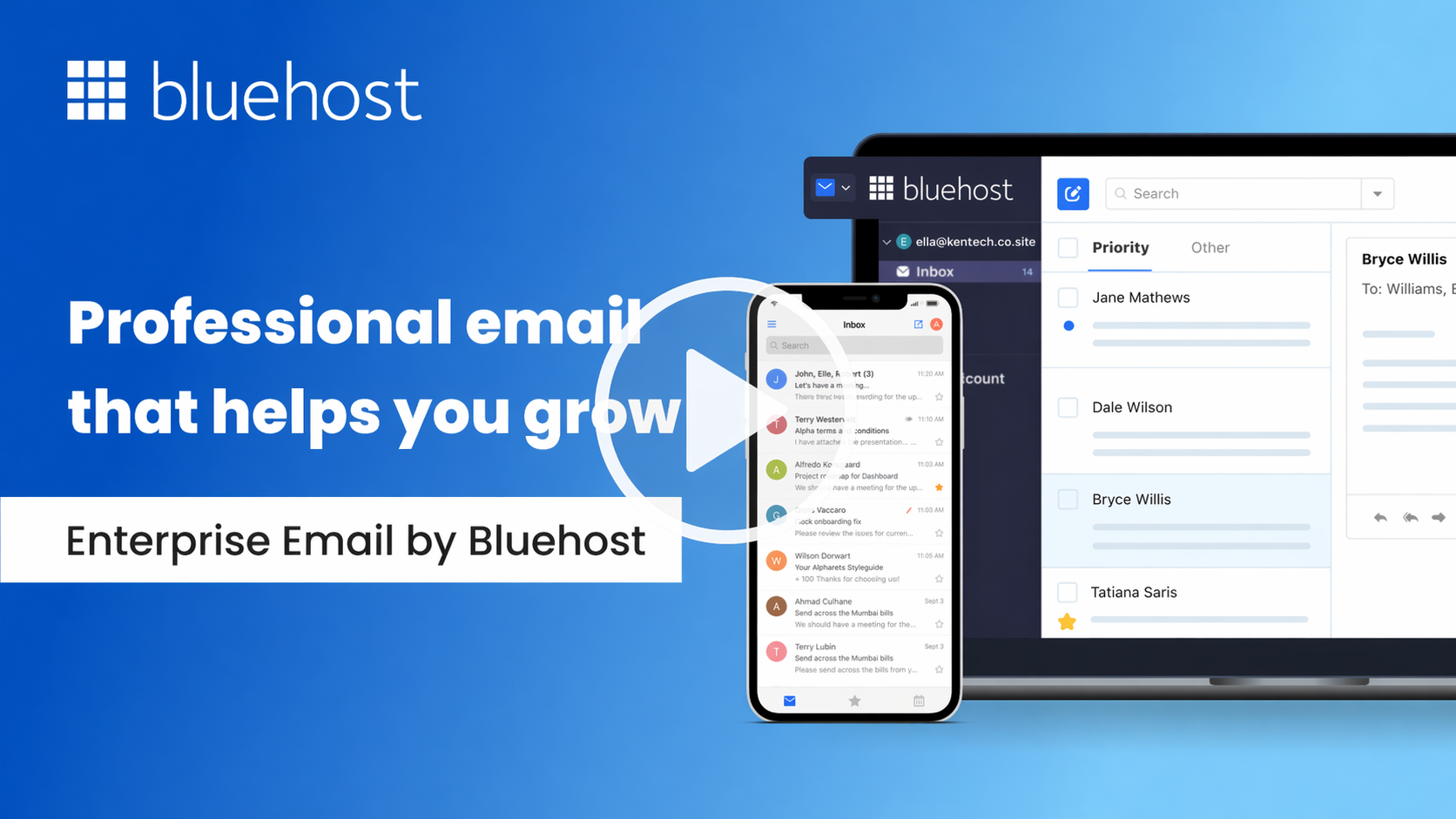
Professional business email features included with every hosting plan


Unlock more productivity with professional email Plus and Ultra
Turn your inbox into a productivity powerhouse with enhanced features from Professional Email Plus and Ultra.


Boost professional email productivity with AI-powered tools
Ready to grow your team and scale your brand? Access high-performance tools, plenty of storage, and all the smart benefits Professional Email Ultra has to offer.


Why choose Spring19 for professional email?
Your email should do more than send messages. It should help your business look credible, stay organized and communicate with confidence. Spring19 Professional Email gives you a branded inbox backed by practical tools for everyday business communication.
Use an email address that matches your domain, so customers instantly recognize your business and feel more confident replying.
Create role-based addresses like sales@, support@, or info@ to manage conversations by purpose, team, or department.
Access your inbox across webmail, iOS android and desktop email clients so you can stay connected wherever business happens.
Advanced anti-spam, anti-virus, allowlist, block sender and data encryption features help keep your business email safer and cleaner.
Features like read receipts, send later, follow-up reminders, email templates and AI-powered tools help you manage your inbox more efficiently.
Start with the essentials and upgrade as your needs expand with more storage, backup, email campaigns, calendar bookings, invoice tools and AI features.
FAQs
? What does domain-specific email mean?
Domain-specific email refers to email addresses that use your company’s website domain. For instance, if your website is www.spring19.com, your domain-specific email could be [email protected]. This lends a professional image, promoting brand consistency and recognition. Whether you run a website for your small business or eCommerce store, a domain-specific email address is highly recommended.
? How does having a professional email boost credibility and trust?
Having a professional email that matches your domain name instills credibility and trust as it communicates seriousness and commitment towards your brand. Customers are more likely to engage with businesses that have a professional appearance, which extends to your email communications.
? Can one user have multiple email addresses?
Yes, a user can have multiple email addresses or “aliases” with both Professional Email and Professional Email Plus hosting plans. These can be beneficial for different roles or departments within your company.
For instance, you could have [email protected], [email protected], and [email protected] all directed to one inbox. With our Professional Email plans, you can have up to 10 unique aliases per mailbox.
? Will my email work on my mobile phone or tablet?
Absolutely. Professional Email synchronizes across devices, allowing you to read and respond to emails not only from your computer but also your mobile phone or tablet. This means you can manage your email communications wherever you are, ensuring business continuity. As long as you have an internet connection, you’ll have access to your professional business email account. Titan email is accessible on all major web browsers and has native apps for Android and iOS devices.
? Why should I choose professional email services powered by Titan?
Titan, the highest rated email platform for small businesses, is a robust and reliable business email service that enables you to keep your communication going, no matter where you are.
• Guaranteed Email Delivery: With Titan’s flawless IP reputation, your email will always reach its destination.
• Advanced Security: Titan uses advanced security measures, such as two-factor authentication and data encryption, to keep your accounts safe.
• High Responsiveness: Manage your inbox with powerful webmail & mobile applications.
? Can I migrate my existing emails and contacts from other platforms?
Yes. Titan comes with built-in migration tools to help you easily move existing email data to your Titan account. If you run into trouble with the migration at any point, our dedicated support staff is available 24/7 to help you out.
? What is a Business Email Account and why do I need one?
A business email account is an email address that uses your company’s custom domain name, such as [email protected]. It helps establish a professional image, builds trust with clients, and promotes your brand consistently. Unlike free email accounts, a business email account provides better security, more storage space, and access to business email services designed for professional communication.
? How do I create a Business Email with my own domain?
Creating a business email is easy with an email hosting provider like Titan. First, register a custom domain or use your existing one. Then, choose a business email plan that suits your needs and set up your email accounts in a few clicks. You can create multiple email addresses and aliases, manage email forwarding, and access your emails across all your devices.
? What is Email Forwarding and how can it help my business?
Email forwarding allows you to create multiple email addresses or aliases that automatically forward messages to a primary inbox. For example, emails sent to [email protected] or [email protected] can be forwarded to your main business email account. This helps keep your communication organized and ensures you never miss an important message.
? How much storage space do I get with a Professional Email service?
Storage space varies depending on the email plan you choose. Our professional email plans offer up to 100 GB of email storage, allowing you to keep important emails, attachments, and files without worrying about running out of space. More storage means better capacity to manage your business communications efficiently.
? Can I use one provider for all my Business Email needs?
Choosing one provider for your business email service simplifies management, billing, and support. Many providers, including Titan, offer comprehensive email hosting solutions with all the tools and security features you need in one place. This ensures a consistent and reliable experience for your business communications.